
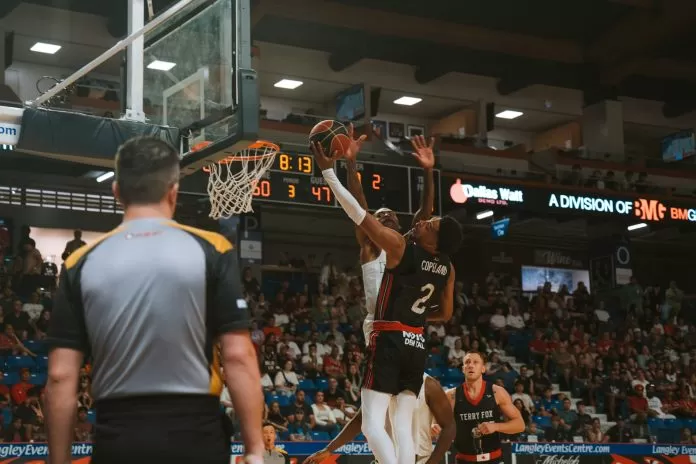
Basketball is not only a sport, but a game of emotions, speed, and unforgettable events that are worth sharing. These could be a buzzer-beater, a no-look pass, or a dunk that shakes the rim – it does not matter, fans love to watch these highlights over and over. In the modern digital era, the process of transforming something into an enthralling highlights reel is no longer just something people in the business do, but is something everyone can do, with the right tools.
That’s where Pippit comes in. The powerful recording app and editing platform has become well-liked by sports enthusiasts and content creators looking to present their finest highlights. If you’ve ever wanted to capture the thrill of basketball and turn it into a polished highlight video, then learning how to edit with the video cutter is your fast break to success.

Why Basketball Highlights Matter More Than Ever
Basketball is an immensely popular sport in many countries, and it is the highlights of the matches that have become its pulse. Social media platforms like Instagram, TikTok, and YouTube provide a better environment for fun, dynamic clips that keep their audiences entertained. Viewers want to see the highlights of any match, rather than relocating to watch the match in its entirety. One viral highlight can turn an unknown local streetball player into a viral sensation or can get the spotlight shone on them when they make a name aiming to become a pro player.
Highlight reels are also used to study strategies by teams and analysts. Viewers break down games to see what worked well or did not, and analysts and other people with influence promote fantasy upon the big plays. Highlighted editing of basketball is no longer a source of entertainment; it is a great instrument for telling a story, learning, and even career development.
Getting Started with Pippit for Basketball Highlights
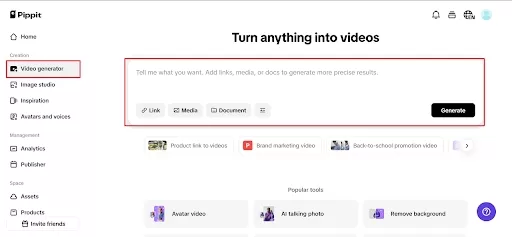
The first step is simple: download Pippit, import your raw footage, and get ready to edit. Unlike many professional editing suites that can be intimidating, Pippit is designed with a user-friendly interface that anyone can navigate.
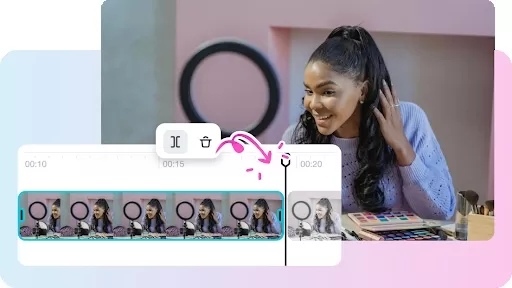
When cutting basketball, consideration should be given to how the game has to be played. Basketball is a high-action sport; therefore, editing should be of the same type. Speed cuts, zoom-ins of dunks, and replays of suspense points in slow motion are very necessary. Pippit makes this easy with built-in tools like an online video trimmer, speed changer, and even adding cinematic filters that elevate ordinary clips into professional-looking highlights.
You can also make use of Pippit’s timeline editing to sync your clips with music. No matter what your style of music is, there is an awesome highlight reel song that can make your highlight video sound as much fun as the game itself.
Storytelling Through Highlights
It cannot just be a bunch of plays strung together to make a great basketball highlight video; it has to have a story. Remember how the game went, the build-up of tension, the comeback, and the final shot. With Pippit, you can arrange clips in a way that builds drama and excitement. For instance, you might begin with the traditional warm-up shots, then fast shots, followed by the most dramatic shots after the game, such as a last-second three-pointer.
Pippit also allows you to add text overlays and graphics, which can help guide the viewer. The inclusion of the names of the players, scoring, or motivation works to help the viewer engage with the game based on what they are watching. Viewers like it when editors can make highlights entertaining and informative to watch.
Advanced Editing Tips with Pippit
To make your basketball highlights stand out, consider using some advanced features inside Pippit:
Speed Ramping & Slow Motion: It is ideal when having to slow down and speed up actions like slam dunks or crossovers that leave defenders on their heels.
Transitions: If done well, smooth scene changes can make your video feel professional.
Filters & Color Correction: The granularity of the action’s brightness and contrast is modified in order to bring it into sharpness, even though the original footage was dark.
Sound effects: The sneakers squeaking or applause of the audience can evoke the situation in the arena.
Small touches make many of the professional-looking basketball highlight videos go viral. The aim is to make your viewers feel so immersed that they experience the same adrenaline-type feeling as if they were sitting courtside.
Real-Life Examples of Basketball Highlight Editing
If you look at social media platforms today, you’ll find countless basketball highlights created with apps like Pippit. Recreational players also use it so their friends can share their best plays on their behalf, and scouts can see their performance. You have the influencers, who create mash-ups of classic NBA moments to entertain people in between the games. Even sports journalists use fast soundbite editing to update the news and post it as it happens.
As an example, in the last year of playoffs, a lot of fan accounts could immediately put into video highlights of all epic dunks and game clinics within several minutes after the final hooter. These videos have millions of views, demonstrating the potential of speed and high-quality editing. With Pippit’s mobile-friendly design, you don’t need a high-end studio to create content that resonates.
Taking Your Edits Beyond Social Media
Although basketball highlights prove to be a massive success on platforms such as TikTok and Instagram, they can be used in different ways. Highlight reels are one of the recruitment tools young athletes submit, sending them to coaches and scouts. Performance analysts are used by trainers. Schools and leagues, even the community leagues, will package highlight packages to honor their teams.
Pippit’s versatility makes it easy to export videos in different formats and resolutions, so whether your audience is on mobile, desktop, or even watching on a projector during team meetings, your highlights will look crisp and professional.
Your Slam Dunk Editing Tool
Basketball highlights are about reliving the magic of the game, and Pippit gives anyone the chance to create professional-level edits without needing years of editing experience. The app allows editing clips to be shared, where it enables some effects, music, and graphics to be added to raw footage. Whether you’re a fan, a player, or a coach, there’s no better time to start experimenting with the Pippit video editor for your basketball highlight reels. Your viral slam dunk video is the next to happen.